


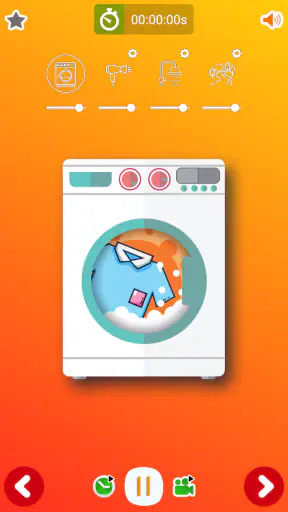
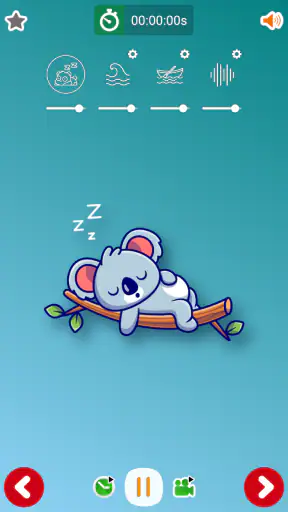
Getting a tired baby to settle can turn a quiet evening into a long series of rocking, feeding, and restarting the bedtime routine. I tried Baby Sleep Sounds as a simple way to add steady background audio, and my overall impression is that it works best when you want something uncomplicated rather than a full sleep-tracking or parenting platform. It belongs to the parenting category, is free to start, and focuses on calming sound instead of trying to manage every part of a child’s routine.
The app comes from Dream_Studio and has built a strong audience, with an average rating of 4.9 from around 24 thousand ratings and more than a million installs. Those figures suggest that its straightforward approach connects with many families. My own view is a little more nuanced: the simplicity is its main strength, but it also means parents looking for detailed controls, sleep logs, or a broader collection of childcare tools may quickly want something else.
How Baby Sleep Sounds fits into a real bedtime routine
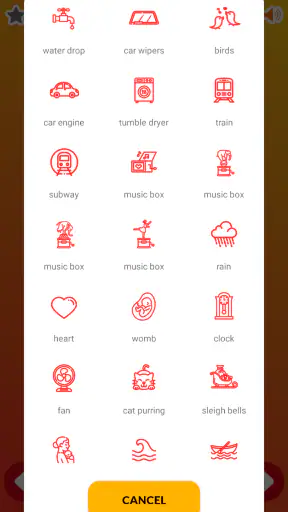
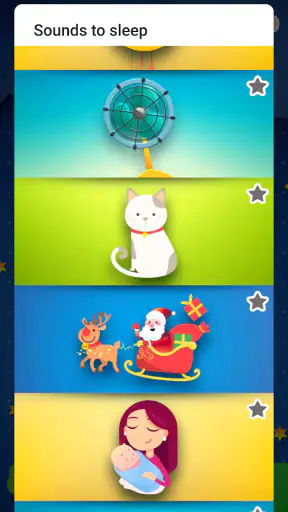
The basic idea is easy to understand. You open the app, choose a suitable background sound, and let it play while your child settles. The audio acts as white noise, helping soften sudden household sounds and creating a familiar cue that bedtime is beginning. I found that this is more useful when it becomes part of a repeatable routine than when it is treated as an instant solution for crying.
A realistic example is a baby who is nearly asleep but keeps reacting to a door closing, a sibling moving around, or traffic outside. A steady sound can make those interruptions less noticeable. I would start it before the final feeding or cuddle, keep the volume comfortably low, and use the same general routine each night. That gives the sound a practical role without making it the only thing responsible for sleep.
The app’s store summary describes baby sleep sounds and white noise, and that accurately reflects its purpose. It is not presented as a medical tool, a sleep consultant, or a replacement for a bedtime routine. Parents should therefore judge it by a modest standard: does it provide a convenient, consistent listening background when a child needs help settling?
For that job, the low-friction design is appealing. I do not need to create a child profile, enter sleep information, or learn a complicated system before trying it. That matters during a late-night wake-up, when the best app is often the one that can be opened and understood with minimal attention.
Speed expectations when starting a sound
Because this is a focused audio utility, I expect it to feel quick during ordinary use. There is no reason to approach it like a large social, video, or tracking app. The useful test is whether I can reach a sound promptly when a baby is already restless. In that situation, a simple interface is more valuable than a long list of decorative options.
I would still avoid assuming that every phone will behave identically. Older hardware, limited free storage, a busy background workload, or an unstable connection can affect any app. The listed minimum operating system is Android 7.0, so compatibility is reasonably broad for Android users, but that does not guarantee identical responsiveness on every device.
One practical habit improves the experience: choose the sound before the room is completely dark and before the child is already upset. This turns the app into part of the routine instead of an emergency tool. It also gives me time to check the volume and make sure the phone is positioned safely away from the crib.
The app is free, which makes testing it low risk. There are in-app purchases priced at $4.99 per item, so I would pay attention to what is available without payment and what may require an optional purchase before building my routine around a particular sound. I would not buy anything immediately. I would first see whether the free experience already covers the family’s needs.
What happens during heavy-use moments
The most demanding use case is not necessarily technical. It is repeated use: several naps, bedtime, and night waking in the same day. In those moments, convenience and predictability matter more than novelty. A sound app earns its place by being easy to return to without making me repeat a complicated setup every time.
I would also treat the phone as part of the environment. If it is running other audio, receiving loud notifications, or being used for a video at the same time, the sleep experience can become inconsistent. A dedicated old phone may be convenient for some households, but it is not necessary. The important point is to keep the listening device stable and quiet, rather than constantly handling it beside the baby.
There is a trade-off between masking noise and creating an overly loud room. White noise should remain background sound, not something that dominates the nursery. I would place the device at a sensible distance, keep the level restrained, and check it from the child’s sleeping position. If the sound feels intrusive to an adult standing nearby, it is probably too prominent for a sleeping child.
Another useful workflow is to use the app for predictable transitions rather than every minor fuss. For example, I might play it during the pre-nap wind-down, then stop relying on it once the child is calm if the household is already quiet. That avoids turning the sound into an absolute requirement and helps reveal whether it is genuinely useful or merely being used automatically.
Families with twins or children sharing a room may find steady background audio especially practical because one child’s small movement can otherwise wake the other. Even then, the app cannot solve different sleep schedules or louder disturbances. It can soften a layer of noise, but it does not replace room planning, consistent timing, or attention to each child’s needs.
Reliability and recovery after interruptions
For a sleep-sound app, reliability means more than opening successfully. I want the chosen audio to remain dependable while the phone is left alone, and I want to know what happens if the device receives a call, loses focus, or has its battery-saving behavior activated. Those situations can interrupt audio on some phones, particularly when the operating system restricts background activity.
I cannot treat any Android app as immune to those differences. My advice is to test it during a daytime nap before using it for the most important bedtime of the week. Start a sound, lock the phone, leave it nearby for a while, and see whether the behavior matches what you expect. This small trial is more useful than assuming that a high rating guarantees identical performance on your particular handset.
Recovery is also important. If playback stops, I want to be able to reopen the app and restart it without rebuilding a profile or navigating through unrelated menus. The focused nature of Baby Sleep Sounds should make that kind of recovery less frustrating than with a larger parenting suite. Still, I would keep a backup plan, such as a familiar household sound or another trusted audio option, especially during travel.
Travel is where expectations need adjusting. A different room may have unfamiliar echoes, hotel noise, or a less convenient place to position the phone. The app can provide continuity because the same kind of sound is available on the device, but it cannot guarantee that a child will respond the same way in a new environment. I see it as one useful piece of a portable bedtime kit, not the whole solution.
It is also worth remembering that a sound that works for one baby may annoy another. Some children settle with a soft, constant hiss, while others prefer a gentler or more natural background. I would try one option at a time and observe the child’s response instead of changing several variables at once. That makes it easier to identify what is helping.
Device limits, battery, and household safety
The app is designed for Android and supports devices running Android 7.0 or newer. That makes it accessible on a wide range of phones, but older devices may have less available memory, weaker batteries, or more aggressive background restrictions. If the phone is already struggling with ordinary tasks, I would not use it as the only overnight sound source without testing it first.
Battery use deserves practical attention. Continuous audio is generally less demanding than streaming video, but long playback still keeps the phone active. I would begin with a well-charged device, avoid placing it under bedding, and keep it somewhere with good ventilation. A charger can help for extended use, but cables near a crib create their own hazard and should be kept completely out of reach.
The Everyone content rating makes the app suitable from a content perspective for a broad audience. That does not mean every setting is automatically appropriate for a baby. Parents still need to control volume, placement, and duration. The rating tells me about the nature of the app’s content, not about safe nursery setup.
One limitation is that a phone is a multipurpose device. A message, alarm, incoming call, or accidental touch can change the environment at exactly the wrong time. I would use the phone’s available quiet or do-not-disturb controls when appropriate, while remembering that emergency contacts and essential alerts may need to remain available. The best setup balances uninterrupted sound with the family’s safety needs.
If the child has hearing concerns, unusual sensitivity to sound, or a sleep problem that is persistent and worrying, I would not rely on an audio app as the answer. A pediatric professional is the better choice for health-related questions. Baby Sleep Sounds is a comfort and routine aid, not a diagnostic service.
Where it beats ordinary alternatives
The usual alternatives are a household fan, a dedicated white-noise machine, music, a streaming service, or a recording played from the phone. Each has a different compromise. A fan may be familiar but can be inconvenient, noisy in its own way, or unavailable during travel. A dedicated machine avoids phone notifications, but it costs extra and adds another object to pack and maintain.
Streaming services offer enormous variety, yet they can introduce interruptions, changing recommendations, screen distractions, or dependence on a connection. Music may be comforting, but melodies and changes in volume can be less predictable than a constant background. A saved recording can work, although it may require more preparation and may not be as convenient when the routine changes.
Baby Sleep Sounds is most attractive when I want a purpose-built, low-cost starting point. It keeps the focus on sleep audio rather than entertainment. That makes it easier to recommend to a parent who wants to try white noise without buying hardware or assembling a playlist.
It is not automatically better than a dedicated machine. If the phone must remain available for work, if notifications are difficult to control, or if overnight battery life is already poor, separate hardware may be the cleaner choice. Likewise, parents who want sleep analytics, feeding records, developmental guidance, or a community will find this app too narrow. Its narrowness is useful only if the narrow task is exactly what I need.
What the current version means for choosing it
The current version is 16.2, and the app has been available since May 16, 2016. That long presence gives it a sense of maturity compared with a brand-new utility, while the current version indicates that it is still maintained as an active product. I would still judge it by present-day behavior on my own device rather than assuming that a long history eliminates every compatibility issue.
The rating of 4.9 and the large install base are encouraging signals, but they should be read alongside the app’s limited scope. A high rating can mean that the core function is satisfying, not that it contains every feature a modern parent might want. I see those figures as evidence that many people appreciate the basic idea, while my decision would depend on whether I need only sound or a complete sleep-management system.
The optional purchases also affect the value calculation. Since the app is free to try and individual in-app items cost $4.99, I would use the free portion first and only pay if a specific addition solves a real problem. Paying is harder to justify if I already have a fan, a suitable recording, or a sound machine that works reliably. The app’s strongest value is convenience, not necessarily replacing every alternative.
Who should use it and who should skip it
I would recommend it to parents who want a quick introduction to white noise, families dealing with ordinary household interruptions, and travelers who prefer not to pack a separate sound machine. It can also suit grandparents or babysitters who need a simple, clearly focused tool rather than access to a complicated parenting account.
I would suggest skipping it if your priority is detailed sleep measurement, automatic coaching, child profiles, or a broad collection of developmental resources. It is also a poor fit if using a phone near bedtime creates more distractions than it removes. In that case, a dedicated audio device or a carefully prepared offline alternative may be more dependable.
The most important tip is to treat the sound as a cue, not a cure. Pair it with a calm routine, sensible volume, and safe device placement. Test it when the baby is relaxed, observe whether the response is positive, and keep another option available. That approach gives the app a fair trial without making the family dependent on one particular setup.
My performance verdict
My verdict is favorable, with realistic boundaries. Baby Sleep Sounds is a focused parenting app that should appeal to anyone who wants straightforward sleep audio without paying for hardware first. Its free entry point, broad Android compatibility from version 7.0 onward, and uncomplicated purpose make it easy to test.
Its perceived speed and resource demands are likely to feel modest during normal use because the job is simple, but device conditions still matter. I would test locked-screen playback, battery behavior, notifications, and recovery before trusting it for a long overnight session. Those checks take only a little time and prevent most avoidable surprises.
The best reason to choose it is dependable simplicity, not a long feature list. It will not replace a bedtime routine, solve every sleep difficulty, or make a phone as distraction-free as dedicated hardware. But when a steady background sound is the missing piece in an otherwise sensible routine, I think it is a practical app to try. For families who want more than that, a broader parenting tool or separate sound machine will be the better investment.


